
Wireless Proximity Sensor (PRX1)
| Thermostat Accessory: Wireless Transmitter
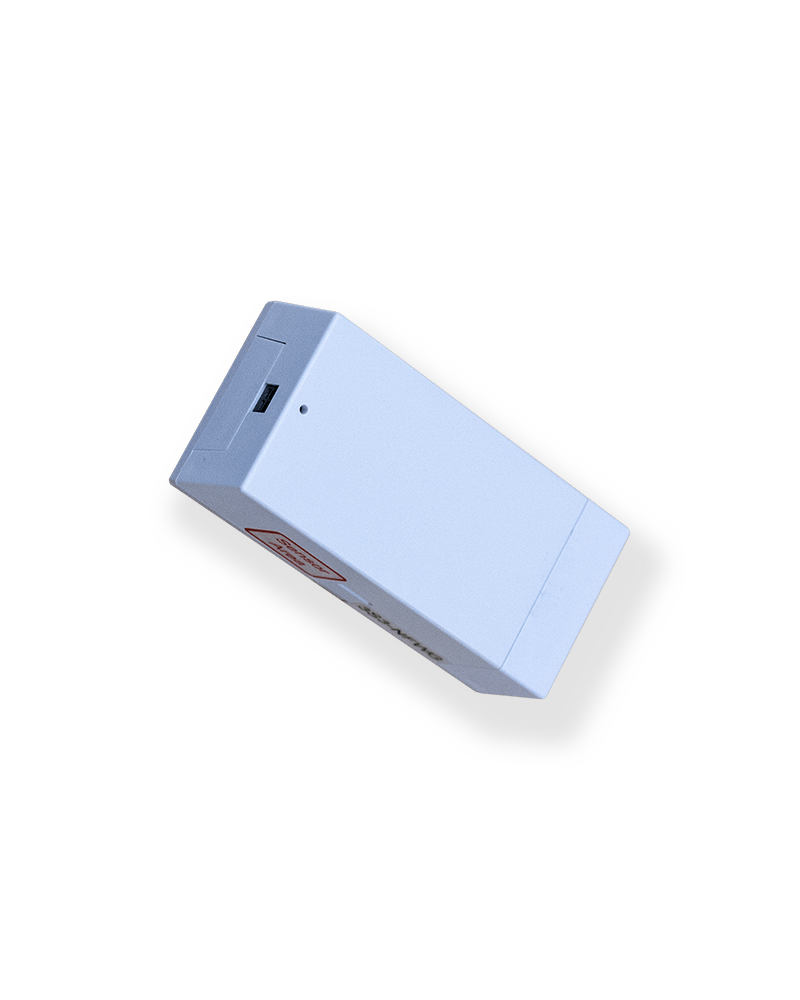
The Pelican Wireless Proximity Sensor (PRX1)
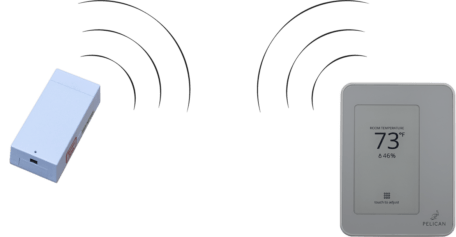
| Wireless communication.
The PRX1 communicates with its primary Pelican thermostat over the Pelican wireless network.
| Common Applications

Wireless Door/Window Sensor
Turn OFF thermostat when door or window opens.
The PRX1 can be mounted above a door or window to monitor if they are open or closed. This can be done using the internal magnetic sensor or wiring an external sensor to the two wire input of the PRX1.
When the door or window opens, the PRX1’s sends a signal to its thermostat and the thermotat will turn OFF. Once the door or window is closed, the thermostat will revert back to normal operation.
Send a security notification.
If the door or window the PRX1 is monitoring is left open for more than 1 hour, it will send a security notification to let you know that door or window has been left open.
View the historical state of the door or window.
Anytime the door or window opens your Pelican App keeps track and graphs this information for you to review. Below the door/window status is the room temperature and thermostat information, so you can see how the state of the door/window affects the room.

Wireless Occupancy Sensor Input
Automate occupied and unoccupied setbacks.
The PRX1 will notify its Pelican thermostat when the room is occupied and unoccupied. Through the Pelican App, you can set what type of setback occurs between when the room is unoccupied versus the temperatures during occupied periods.
View the historical occupied/unoccupied status.
Anytime the room is unoccupied your Pelican App keeps track and graphs this information for you to review. Below the unoccupied status is the room temperature and thermostat information, so you can see how the room is affected during these different statuses.
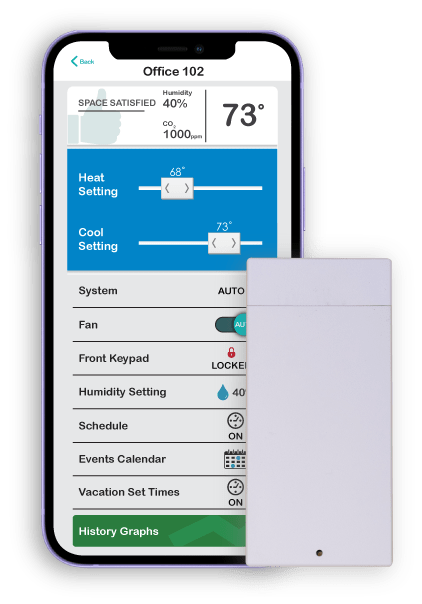
| Web-App enabled control.
Right from the Pelican App you can manage all aspects of the Pelican Wireless Proximity Sensor: set delay times, enable/disable the device, view historical data, and more.
| Wireless Proximity Sensor
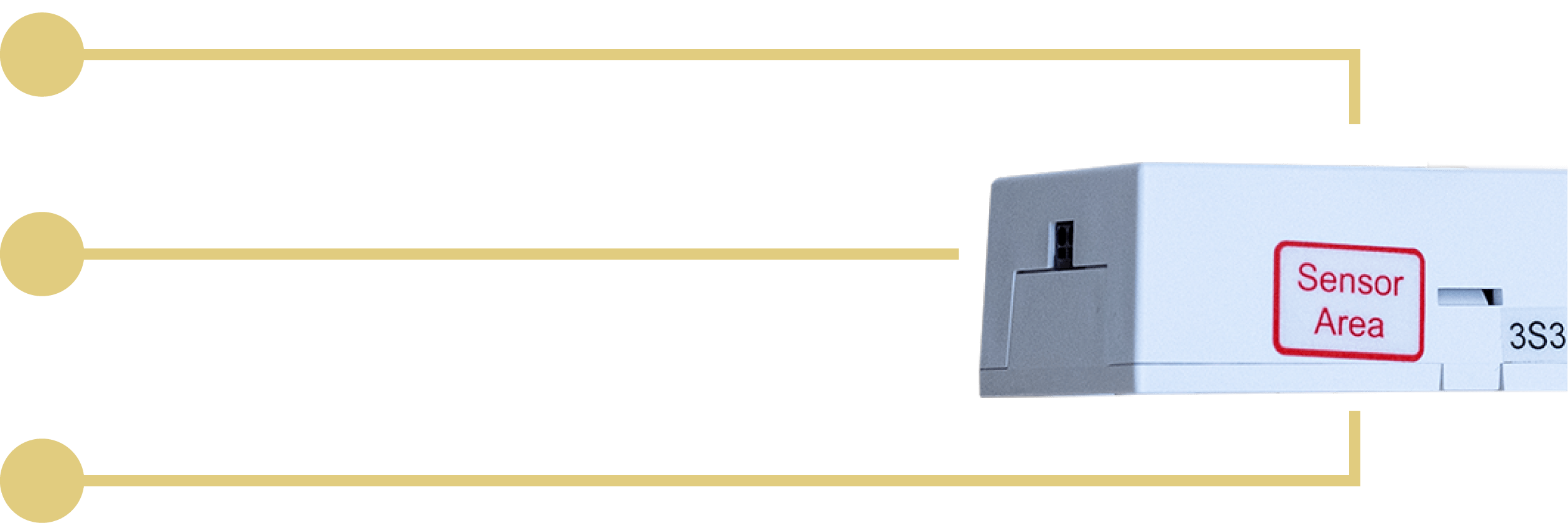
INDICATOR
Status Light
For the first two minutes after powered-on, the Wireless Proximity Sensor has a status light on it that indicates the current reading of its magnetic sensor. If it is detecting a magnet the light is ON, if it is not detecting a magnet the light is OFF.
INPUT
2-Wire
The Wireless Proximity Sensor can accept an optional 2-wire external reed (magnetic) sensor to detect the state of a door or window. OR it can accept a 2-wire external dry-contact output from a third-party occupancy sensor to detect that occupied/unoccupied state of the room.
SENSOR
Magnetic Switch
The Wireless Proximity Sensor has a built-in reed (magnetic) sensor that can easily be used with the provided door/window mountable magnet to detect that state of a door or window.
POWER
(2) AA Batteries
The PRX1 is powered by 2 (AA) Batteries (included with purchase). The device is designed to run for at least one (1) year* and will notify upon a low battery status.
| TechnicalSpecifications
COMPATIBILITY
Pelican TC Series thermostats Pelican TS Series thermostats
DIMENSIONS
in: 1.5 X 3.25 X 1 mm: 38 X 82.5 X 25
MOUNTING
Designed to be mounted horizontally on a flat surface.
2 (AA) Batteries (included) Low battery notification through Pelican App.
WIRELESS
2.4GHz wireless frequency, IEEE 802.15.4 wireless standard. Complies with Class B Part 15 of FCC rules. Does not interfere or communicate with WiFi/802.11 networks. Does NOT repeat wireless signal on Pelican Mesh Network.
Two-wire dry-contact input for third-party occupancy status. Two-wire input can accept an optional external magnetic reed switch.
DRY-CONTACT INPUT
Occupied when dry-contact input is closed Unoccupied when dry-contact input is open
MAGNET READINGS
Window/Door open when no magnet is detected Window/Door closed when magnet is detected
OPERATING RANGE
-4°F to 160°F 5 to 90 % Relative Humidity (non-condensing)
STORAGE
-20°F to 160°F
RELAY MODULE DIMENSIONS
INPUTS
Occupied when dry-contact input is closed. Unoccupied when dry-contact input is open.
Relay Module: Designed to be mounted horizontal or vatical inside high voltage rated electrical box. Antenna: Designed to be mounted vertically on an interior wall.
| ProductDocumentation
Installation Guides
> PDF: PRX1 Installation Guide
Datasheets
Application/Engineering Guides
> PDF: Generic Dry-Contact as Occupied/Unoccupied Input - Wiring Guide
> PDF: Generic Multiple PRX1 Dry-Contact as Occupied/Unoccupied Input - Wiring Guide
> PDF: Generic Door/Window Sensor - Diagram
LEARN MORE
DISCOVERMOREPELICAN
HEAR THEIR STORIES
PELICANIMPACTSOTHERS

With hundreds of thousands of customers using Pelican, we want you to hear some of their stories.